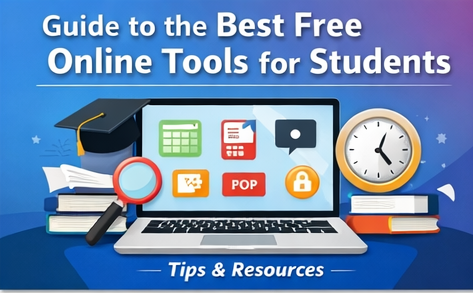
In today’s digital world, students have access to powerful online tools that can completely transform the way they study, research, and manage their academic life. The best part? Many of these tools are completely free and incredibly easy to use. Whether you’re writing assignments, organizing your schedule, or improving your productivity, the right tools can save time and boost performance.
Below are some of the best free online tools every student should consider using.
📚 1. Research & Note-Taking Tools
Good research is the foundation of academic success. These tools help you gather, organize, and store information efficiently.
- Google Docs – Perfect for writing assignments, collaborating with classmates, and accessing your work from anywhere.
- Notion – An all-in-one workspace for notes, tasks, and study planning.
- Evernote – Great for organizing notes, clipping web content, and syncing across devices.
- Zotero – Helps manage research sources and create citations easily.
👉 These tools reduce the stress of managing multiple documents and help keep everything in one place.

✍️ 2. Writing & Grammar Tools
Writing clearly and professionally is essential for students. These tools help improve grammar, spelling, and style.
- Grammarly (Free Version) – Detects grammar mistakes and suggests improvements.
- Hemingway Editor – Helps simplify complex sentences and improve readability.
- QuillBot – Useful for paraphrasing and rewriting content in a better way.
- LanguageTool – A powerful grammar checker supporting multiple languages.
👉 Using these tools can significantly improve your writing quality and confidence.

⏳ 3. Time Management & Productivity Tools
Managing time effectively is one of the biggest challenges students face.
- Google Calendar – Helps plan your schedule, deadlines, and study sessions.
- Trello – A visual task management tool using boards and cards.
- Todoist – Great for creating daily to-do lists and tracking tasks.
- Pomofocus (Pomodoro Timer) – Boosts productivity using timed work sessions.
👉 These tools help you stay organized, focused, and avoid last-minute stress.
🎓 4. Learning & Study Tools
These tools make studying easier and more interactive.
- Khan Academy – Offers free courses on a wide range of subjects.
- Coursera (Free Courses) – Access university-level content at no cost.
- Quizlet – Create flashcards and practice quizzes for better memorization.
- Anki – A spaced repetition tool that helps you remember information long-term.
👉 These platforms turn learning into an engaging and efficient process.
📊 5. Design & Presentation Tools
Creating visually appealing assignments and presentations is important.
- Canva (Free Version) – Design presentations, posters, and graphics easily.
- Google Slides – A simple tool for creating and sharing presentations.
- Prezi – Makes interactive and dynamic presentations.
- Pixlr – A free online photo editor for quick image editing.
👉 These tools help you stand out with creative and professional-looking work.

💻 6. File Storage & Sharing Tools
Keeping your files safe and accessible is crucial.
- Google Drive – Free cloud storage with easy sharing options.
- Dropbox (Basic Plan) – Store and sync files across devices.
- OneDrive – Microsoft’s cloud storage solution for students.
👉 These platforms ensure your work is never lost and always accessible.
🚀 Final Thoughts
Free online tools have made it easier than ever for students to succeed academically without spending money. From writing and research to time management and design, these tools cover every aspect of student life. The key is to choose the right combination that fits your needs and use them consistently.