
In today’s digital age, protecting your online accounts is more important than ever. From social media to banking apps, every platform requires a strong password. Unfortunately, many people still use weak or repeated passwords, making them easy targets for hackers. This is where free password generator tools come in—they help you create strong, secure, and unique passwords instantly.
This guide will walk you through the best tools, how they work, and essential safety tips to keep your accounts protected.
🔐 What Is a Password Generator Tool?
A password generator is an online tool that automatically creates complex and secure passwords using a mix of:
- Uppercase and lowercase letters
- Numbers
- Special characters
- Random combinations
👉 These tools eliminate guessable passwords and reduce the risk of hacking.
🚀 Why You Should Use Password Generators
Using a password generator offers multiple advantages:
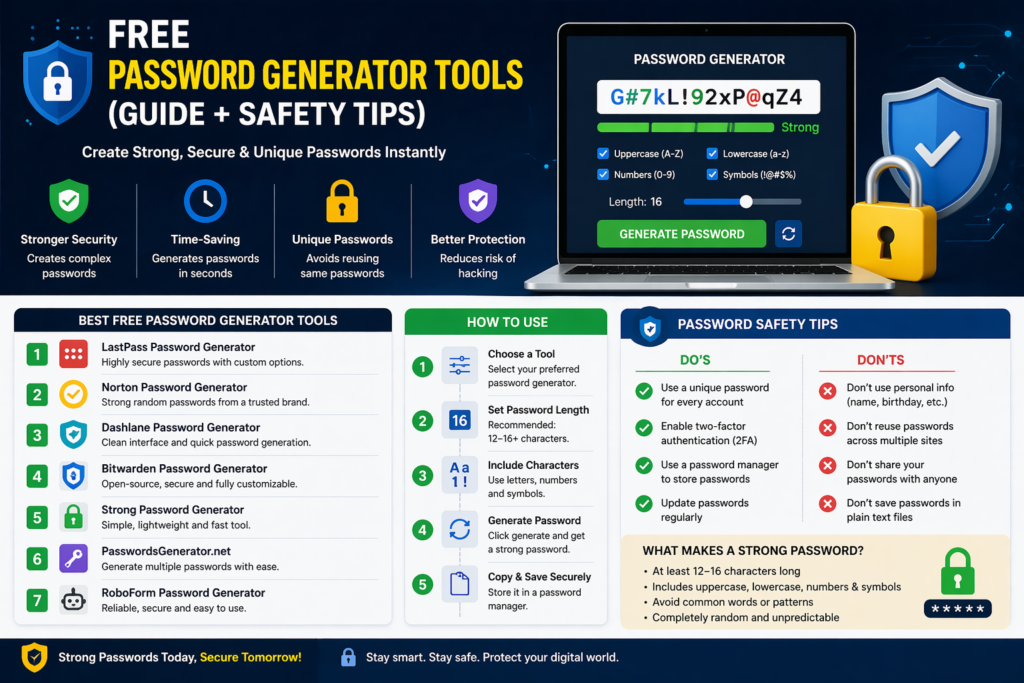
- Stronger Security: Creates highly complex passwords
- Time-Saving: No need to think of passwords manually
- Unique Passwords: Helps avoid reusing the same password
- Better Protection: Reduces risk of brute-force attacks
👉 In short, it makes your digital life much safer.
🛠️ Best Free Password Generator Tools
Here are some of the most reliable and widely used free tools:
1. LastPass Password Generator
- Generates highly secure passwords
- Custom length and complexity options
- Easy to use
Best for: Beginners and everyday users
2. Norton Password Generator
- Backed by a trusted security brand
- Creates strong random passwords
- No login required
Best for: High-security needs
3. Dashlane Password Generator
- Clean and modern interface
- Allows customization of characters
- Fast generation
Best for: Simple and quick use
4. Bitwarden Password Generator
- Open-source and secure
- Customizable options
- Works across devices
Best for: Privacy-focused users
5. Strong Password Generator
- Simple and lightweight tool
- No signup required
- Quick results
Best for: Fast password creation
6. PasswordsGenerator.net
- Multiple password options at once
- Custom settings
- Easy copy feature
Best for: Bulk password generation
7. RoboForm Password Generator
- Reliable and secure
- Adjustable complexity
- Instant generation
Best for: Everyday use
🧠 How to Use a Password Generator
Using these tools is very simple:
- Choose your preferred tool
- Select password length (recommended: 12–16+ characters)
- Enable numbers, symbols, and uppercase letters
- Generate the password
- Copy and save it securely
👉 Always store your passwords in a safe place like a password manager.
⚠️ Essential Password Safety Tips
Creating a strong password is only half the job—keeping it safe is equally important.
✅ Do’s
- Use a unique password for every account
- Enable two-factor authentication (2FA)
- Use a password manager to store passwords
- Update passwords regularly
❌ Don’ts
- Don’t use personal info (name, birthday, phone number)
- Don’t reuse passwords across multiple sites
- Don’t share your passwords with anyone
- Don’t save passwords in plain text files
🔒 What Makes a Strong Password?
A strong password should:
- Be at least 12–16 characters long
- Include letters, numbers, and symbols
- Avoid common words or patterns
- Be completely random
👉 Example: G#7kL!92xP@qZ4 (just for demonstration—don’t reuse it!)
🎯 Final Thoughts
Free password generator tools are one of the easiest ways to improve your online security. They help you create strong, unique passwords in seconds, reducing the chances of hacking and data breaches.