
Screenshots have become an essential part of everyday digital life. Whether you’re saving important information, creating tutorials, reporting bugs, or sharing something interesting, having the right screenshot tool can make a big difference. While Windows comes with built-in options, many third-party tools offer advanced features that improve both productivity and quality.
Here’s a look at some of the best screenshot tools for Windows users and what makes them worth considering.
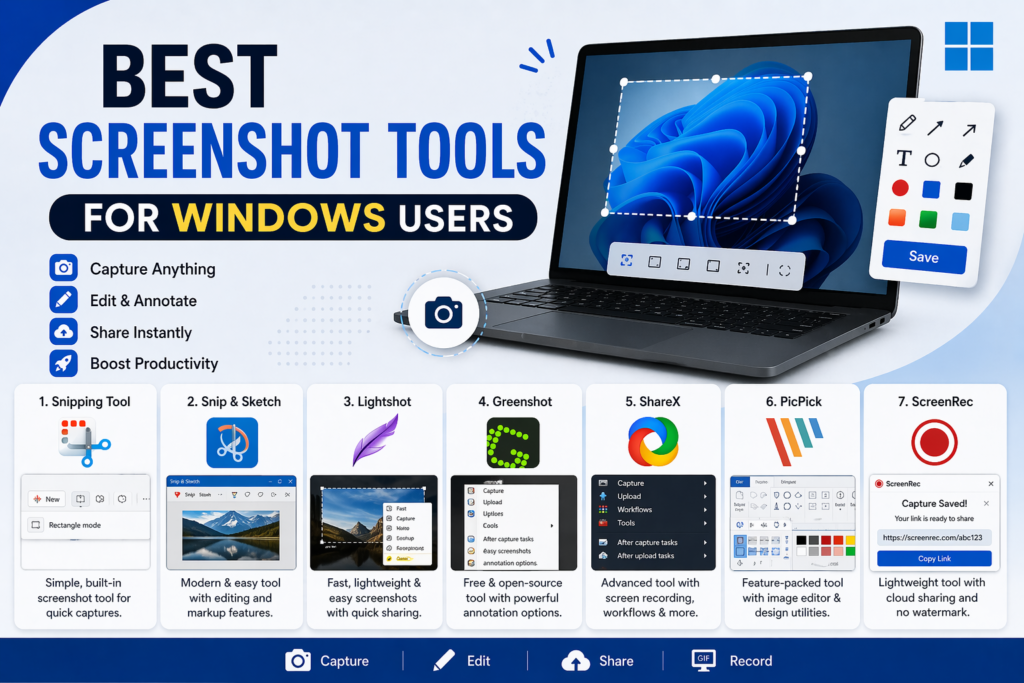
1. Snipping Tool (Built-in Simplicity)
Windows includes a basic screenshot utility that’s perfect for beginners. It allows users to capture full screens, windows, or selected areas with ease.
Key Features:
- Simple and easy to use
- Free and pre-installed
- Basic editing tools
Best For: Users who need quick and straightforward screenshots without extra features.
2. Snip & Sketch (Modern Upgrade)
This is an improved version of the classic Snipping Tool with a cleaner interface and better annotation tools.
Key Features:
- Delay capture option
- Built-in editing and markup
- Easy sharing options
Best For: Users who want a slightly more advanced built-in tool.
3. Lightshot (Fast and Lightweight)
Lightshot is a popular tool known for its speed and simplicity. It lets you quickly capture and edit screenshots in seconds.
Key Features:
- Instant editing after capture
- Easy upload and sharing
- Lightweight and fast
Best For: Users who need quick screenshots with basic editing and sharing.
4. Greenshot (Efficient and Free)
Greenshot is a powerful open-source screenshot tool that offers more flexibility than basic tools.
Key Features:
- Customizable shortcuts
- Annotation tools
- Export to multiple formats
Best For: Users who want a free tool with advanced options and customization.
5. ShareX (Feature-Rich Powerhouse)
ShareX is one of the most powerful screenshot tools available. It goes far beyond basic capturing.
Key Features:
- Screen recording (GIF/video)
- Advanced editing and workflows
- Automation and custom scripts
Best For: Advanced users, developers, and content creators who need more control.
6. PicPick (All-in-One Design Tool)
PicPick combines screenshot functionality with graphic design features, making it a versatile option.
Key Features:
- Built-in image editor
- Color picker, ruler, and protractor tools
- Professional interface
Best For: Designers and users who need precision tools along with screenshots.
7. ScreenRec (Lightweight with Cloud Storage)
ScreenRec offers both screenshot and screen recording features with instant cloud sharing.
Key Features:
- No watermark
- Instant shareable links
- Lightweight performance
Best For: Users who frequently share screenshots online.
Choosing the best screenshot tool depends on your needs:
- For basic use: Built-in tools like Snipping Tool or Snip & Sketch
- For quick sharing: Lightshot or ScreenRec
- For advanced features: ShareX or Greenshot
- For design and editing: PicPick