
In the world of the internet, data is constantly being transmitted between browsers and servers. However, not all characters are safe to send directly through a URL. This is where URL encoding and decoding come into play. Understanding these concepts is essential for developers, digital marketers, and anyone working with web technologies.
What is URL Encoding?
URL encoding, also known as percent-encoding, is the process of converting characters into a format that can be safely transmitted over the internet. URLs can only contain a limited set of ASCII characters. Any character outside this set—such as spaces, symbols, or non-English characters—must be encoded.
Why is URL Encoding Needed?
Certain characters in URLs have special meanings. For example:
?indicates the start of a query string&separates parameters=assigns values
If these characters appear as part of the actual data, they can confuse the browser or server. Encoding ensures that the data is interpreted correctly.
How URL Encoding Works
In URL encoding:
- Unsafe characters are replaced with a
%symbol followed by their hexadecimal ASCII value. - Spaces are typically encoded as
%20or sometimes+.
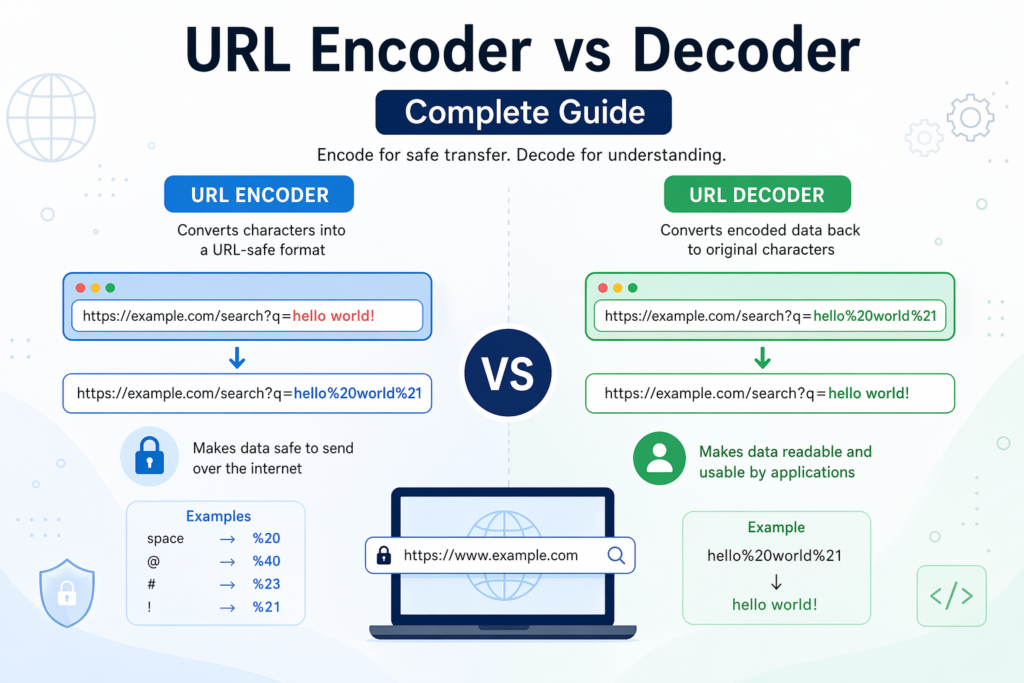
Examples:
- Space →
%20 @→%40#→%23
So, a string like:
hello world!
becomes:
hello%20world%21
What is URL Decoding?
URL decoding is the reverse process of encoding. It converts encoded characters back to their original form so they can be read and understood by humans or processed by applications.
Why is URL Decoding Important?
When a server receives encoded data, it must decode it to:
- Understand user input
- Process query parameters correctly
- Display readable content
How URL Decoding Works
The decoder scans the URL for % symbols and converts the following hexadecimal values back into their original characters.
Example:
hello%20world%21
decodes to:
hello world!
Key Differences Between URL Encoding and Decoding
| Feature | URL Encoding | URL Decoding |
|---|---|---|
| Purpose | Converts unsafe characters | Restores original characters |
| Direction | Human-readable → URL-safe format | URL-safe format → Human-readable |
| Usage | Before sending data in URLs | After receiving data from URLs |
| Example | space → %20 | %20 → space |
Common Use Cases
1. Web Development
Developers use encoding to safely pass data in query strings and APIs.
2. Form Submission
When users submit forms, special characters in input fields are encoded automatically.
3. APIs and Data Transfer
Encoding ensures data integrity when sending requests between systems.
4. Handling Special Characters
Languages with non-ASCII characters rely heavily on encoding for proper transmission.
Common Mistakes to Avoid
- Double Encoding: Encoding an already encoded string can lead to errors.
- Forgetting to Decode: This can result in unreadable or broken data.
- Incorrect Character Handling: Not all systems handle
+and%20the same way.
Best Practices
- Always encode data before appending it to a URL.
- Decode incoming data on the server side.
- Use built-in functions in programming languages instead of manual encoding.
- Test URLs with different types of input to ensure reliability.
Conclusion
URL encoding and decoding are fundamental processes that ensure smooth communication over the web. Encoding protects data by converting it into a safe format, while decoding restores it for proper use. Mastering both concepts helps prevent errors, enhances security, and ensures seamless data exchange in web applications.
Whether you’re building websites, working with APIs, or handling user input, understanding the difference between URL encoding and decoding is a must-have skill in modern web development.